Automation Rules: IP and Location Checks
Configure hosting IP, proxy/VPN/TOR, IP country, and IP address coordinate rules.
IP and location automation rules help detect orders where the customer connection does not match the order details or uses infrastructure commonly associated with abuse.
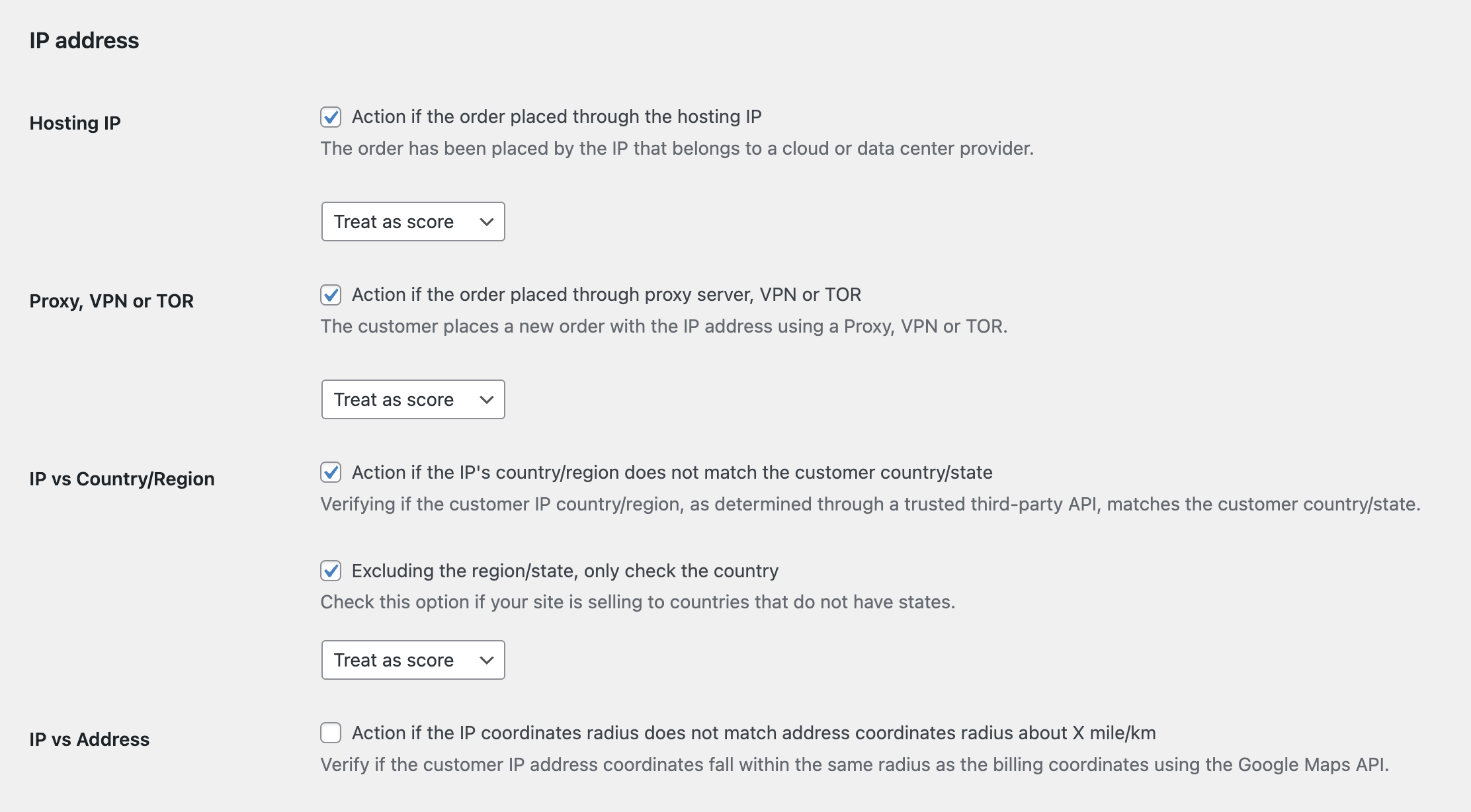
Hosting IP
This rule detects orders from hosting providers, data centers, or server-like IP ranges. Fraud bots and card testing tools often use these networks.
Recommended action: Treat as score or Add to suspects. Consider blocking only if your store rarely receives legitimate orders from hosting IPs.
Proxy, VPN, or TOR
This rule detects when the customer may be hiding their real connection through a proxy, VPN, or TOR network.
Recommended action: Treat as score. Many legitimate users use VPNs, so combine this with other signals before blocking.
IP vs Country/Region
This rule compares the IP location against the order country or region. You can also configure state/region exclusions where needed.
Recommended action: Treat as score or Email alert. Use stricter action only for stores that ship high-risk goods or operate in limited countries.
IP vs Address Coordinates
This rule compares the IP location with the billing or shipping address location using a radius and unit setting. It is useful when distance is a meaningful risk signal for your business.
Recommended action: Treat as score. IP geolocation is approximate, so avoid blocking only because the radius check failed.
Trusted IP Bypass
If your setup has trusted IPs, internal tools, or known integrations, configure them so proxy or hosting checks do not create noise.
Best Practice
IP rules are strongest when used with risk scoring. Let them add points, then let thresholds decide whether the order should be reviewed, suspected, or blocked.
Continue from Blacklist Manager Premium documentation to the complete product workflow.
Evaluate product scope on the money page, use the pillar Guide for decisions and trade-offs, and return here for exact configuration.
Did this guide answer your question?
Still stuck?
Open a support request and include this article title, your plugin version, and what you already tried.
Open Support