Automation Rules: Device and Behavior Checks
Use Device vs Email/Phone, Device vs Address, and Device identity spread rules safely.
Device automation rules use Device Identity to detect hidden repeat behavior across orders. These rules are strongest when device capture is already working reliably on your checkout.
Before You Enable These Rules
- Enable Device Identity.
- Place test orders and confirm device details appear on the edit order page.
- Let the plugin collect normal customer behavior for a short period.
- Start device rules with Treat as score before blocking automatically.
Device vs Email/Phone
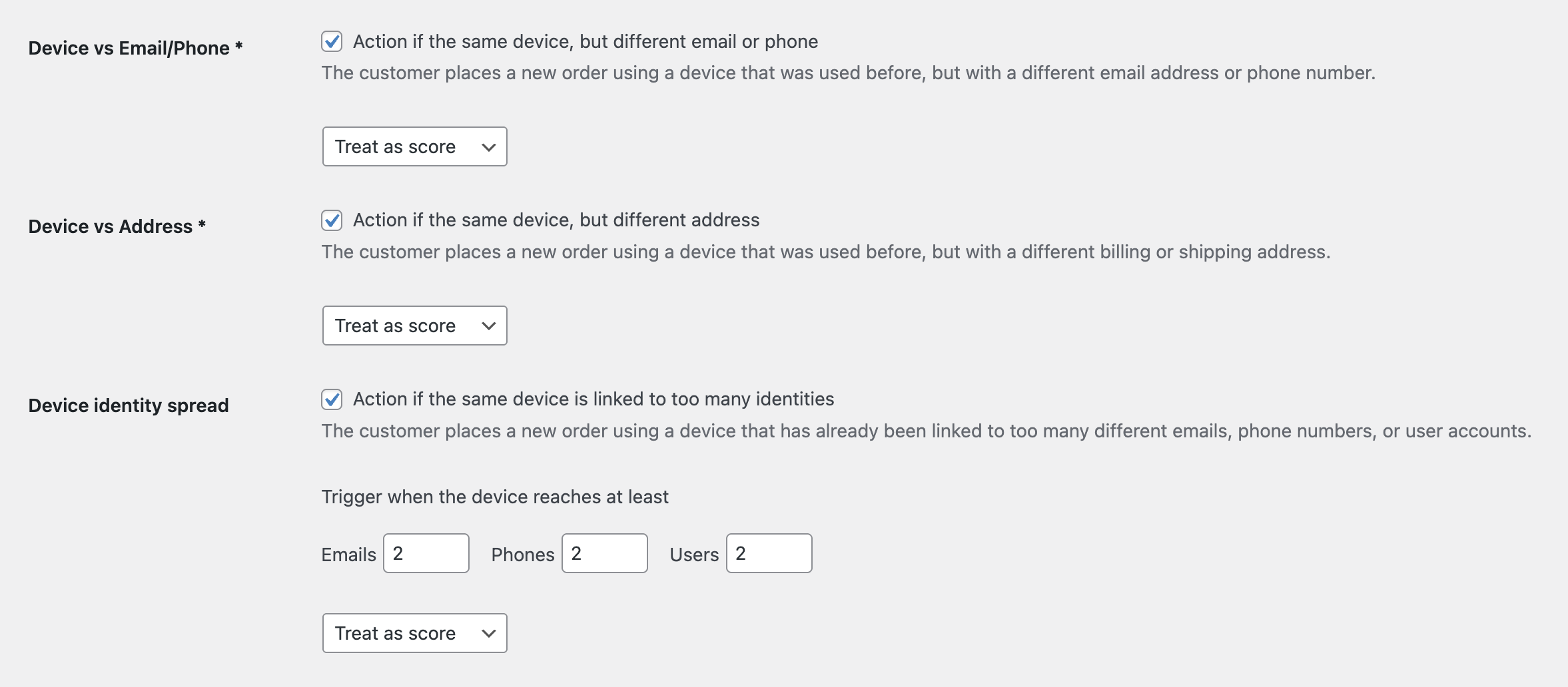
This rule detects when the same device was used on previous orders with a different email or phone number. This can reveal customers who keep changing contact details.
Use it when: fake orders often reuse the same browser/device but change the visible customer information.
Recommended action: Treat as score first. Use Add to suspects after you confirm that shared devices are not common for your store.
Device vs Address
This rule detects when the same device is used with different billing or shipping addresses. It is useful for fraud patterns where one person places many orders for different identities or destinations.
Recommended action: Treat as score or Add to suspects. Avoid immediate blocking if your store has many families, offices, or agencies sharing devices.
Device Identity Spread
This rule checks whether one device is linked to too many identities. You can configure thresholds for distinct emails, phones, or user accounts.
A device connected to many different emails and phones is usually more suspicious than a device connected to two user accounts in the same household.
How to Choose Thresholds
- Start with higher thresholds if your store has many shared devices.
- Lower the threshold only after reviewing real orders.
- Use Add to suspects before Add to blocklist.
- Use the Device details modal to confirm the linked identity counts.
When Device Rules Should Not Block
Do not use automatic blocking when you are still testing checkout scripts, using a staging site, or seeing many false positives from shared office/store devices.
Device-vs-address rules are different from direct address blocking. For direct billing and shipping address blocklists, see Block Billing and Shipping Addresses.
Continue from Blacklist Manager Premium documentation to the complete product workflow.
Evaluate product scope on the money page, use the pillar Guide for decisions and trade-offs, and return here for exact configuration.
Did this guide answer your question?
Still stuck?
Open a support request and include this article title, your plugin version, and what you already tried.
Open Support