Automation Rules: Payment Checks
Configure payment automation rules such as card country, AVS, high-risk card country, and PayPal mismatch checks.
Payment automation rules compare order details with payment gateway signals. These checks are useful because payment data can reveal mismatches that are not obvious from the WooCommerce customer fields alone.
Before You Use Payment Rules
Enable payment gateway protection first, then confirm your payment gateway stores the needed metadata on orders. Some checks only work when the gateway provides the related data.
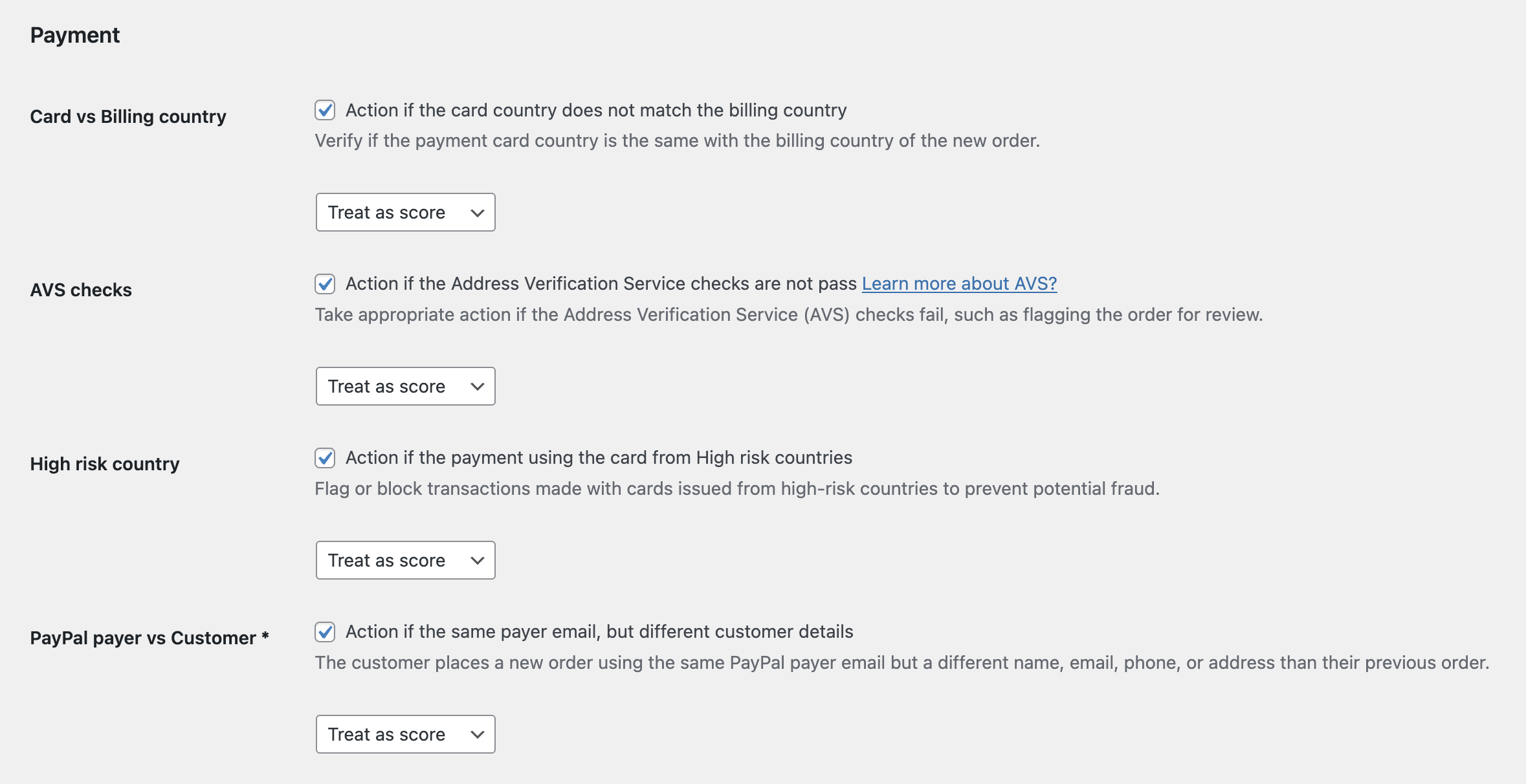
Card vs Billing Country
This rule checks whether the card country differs from the billing country. A mismatch can be normal for travelers, international customers, or gift purchases, but it can also be a fraud signal.
Recommended action: Treat as score.
AVS Checks
AVS compares billing address details with payment processor results. Failed AVS checks can indicate that the customer does not know the correct billing address for the payment method.
Recommended action: Treat as score or Add to suspects for high-risk stores.
High-Risk Card Country
This rule flags orders where the payment card country is in your high-risk country list.
Recommended action: Treat as score. Use Add to suspects only when combined with other strong signals.
PayPal Payer vs Customer
This rule checks whether the PayPal payer email differs from the WooCommerce customer email. A mismatch can be legitimate, but it deserves review when combined with other suspicious details.
Recommended action: Treat as score or require PayPal payer email verification from the Payments settings.
Use Payment Rules With Thresholds
Payment rules are best used as score contributors. Let several weak or medium signals combine into a clear review decision instead of blocking customers from a single mismatch.
Continue from Blacklist Manager Premium documentation to the complete product workflow.
Evaluate product scope on the money page, use the pillar Guide for decisions and trade-offs, and return here for exact configuration.
Did this guide answer your question?
Still stuck?
Open a support request and include this article title, your plugin version, and what you already tried.
Open Support