Troubleshooting: Verification Code Is Not Sent
Check email delivery, SMS service credentials, provider balance, and checkout test conditions.
Applies to Core 2.2.11 / Premium 2.6.4+
Stable
Verified August 3, 2026
If customers do not receive verification codes, diagnose email and SMS separately.
Email Code Checklist
- Confirm email verification is enabled.
- Place a test order using an inbox you control.
- Check spam, promotions, and quarantine folders.
- Confirm WordPress can send other emails, such as password reset emails.
- Use an SMTP plugin if your hosting mail delivery is unreliable.
- Check the email template and make sure the verification code placeholder was not removed.
SMS Code Checklist
- Confirm phone verification is enabled.
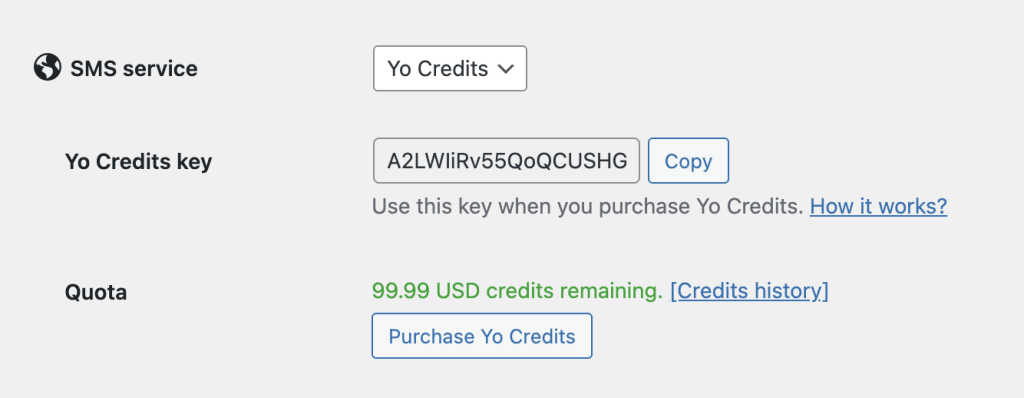
- Go to Settings > Integrations and confirm the SMS service is selected.
- Confirm Twilio, Textmagic, Yo Credits, or the selected provider credentials are saved.
- Check provider balance, sender phone number, and country permissions.
- Test with a phone number in your main selling country.
- Check whether the phone number format includes the correct country code.
Common Causes
- The site cannot send WordPress emails reliably.
- The SMS service credentials are wrong or incomplete.
- The SMS provider account has no credit or balance.
- The phone number format does not include a valid country code.
- The customer country is not allowed by the SMS provider.
- A cache or checkout optimization plugin is interfering with the verification step.
What To Capture For Support
- Which verification type failed: email or phone.
- The checkout email or phone used for the test.
- Screenshot of the Verifications settings.
- Screenshot of the SMS service settings, with sensitive keys hidden.
- Any error shown by the SMS provider.
Expected Result
After delivery is configured correctly, customers should receive the code and be able to continue checkout after entering it.
Continue from Blacklist Manager Premium documentation to the complete product workflow.
Evaluate product scope on the money page, use the pillar Guide for decisions and trade-offs, and return here for exact configuration.
Did this guide answer your question?
Still stuck?
Open a support request and include this article title, your plugin version, and what you already tried.
Open Support