Automation Rules: Customer Identity and Address Checks
Configure customer identity, address, value, attempts, and status-based automation rules.
Identity and address automation rules compare the customer details on a new order against earlier orders. They help detect customers who keep changing one part of their identity while reusing another.
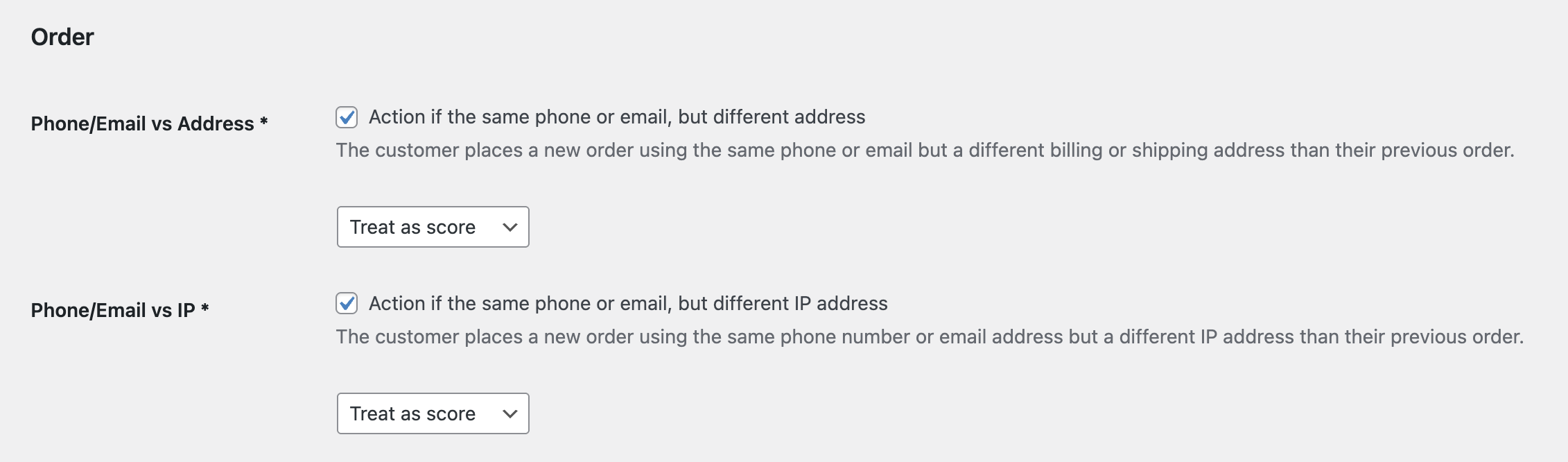
Available Actions
Most automation rules can use one of these actions:
- Email alert: notify the admin but do not mark the customer.
- Add to suspects: add the customer details to Suspects.
- Add to blocklist: block the customer details.
- Treat as score: do not act immediately; add points to the Store risk score instead.
Phone/Email vs Address
This rule looks for cases where the same phone or email appears with a different address within your configured period. It is useful for detecting repeat buyers who keep changing the shipping or billing location.
Recommended action: start with Treat as score or Add to suspects. Use Add to blocklist only if this pattern is usually fraudulent for your store.
Phone/Email vs IP
This rule looks for cases where the same phone or email appears with a different IP address. A different IP is not always suspicious, because customers can use mobile networks, office networks, VPNs, or travel.
Recommended action: usually Treat as score. Combine with other rules such as proxy/VPN/TOR, IP country, or order attempts before blocking.
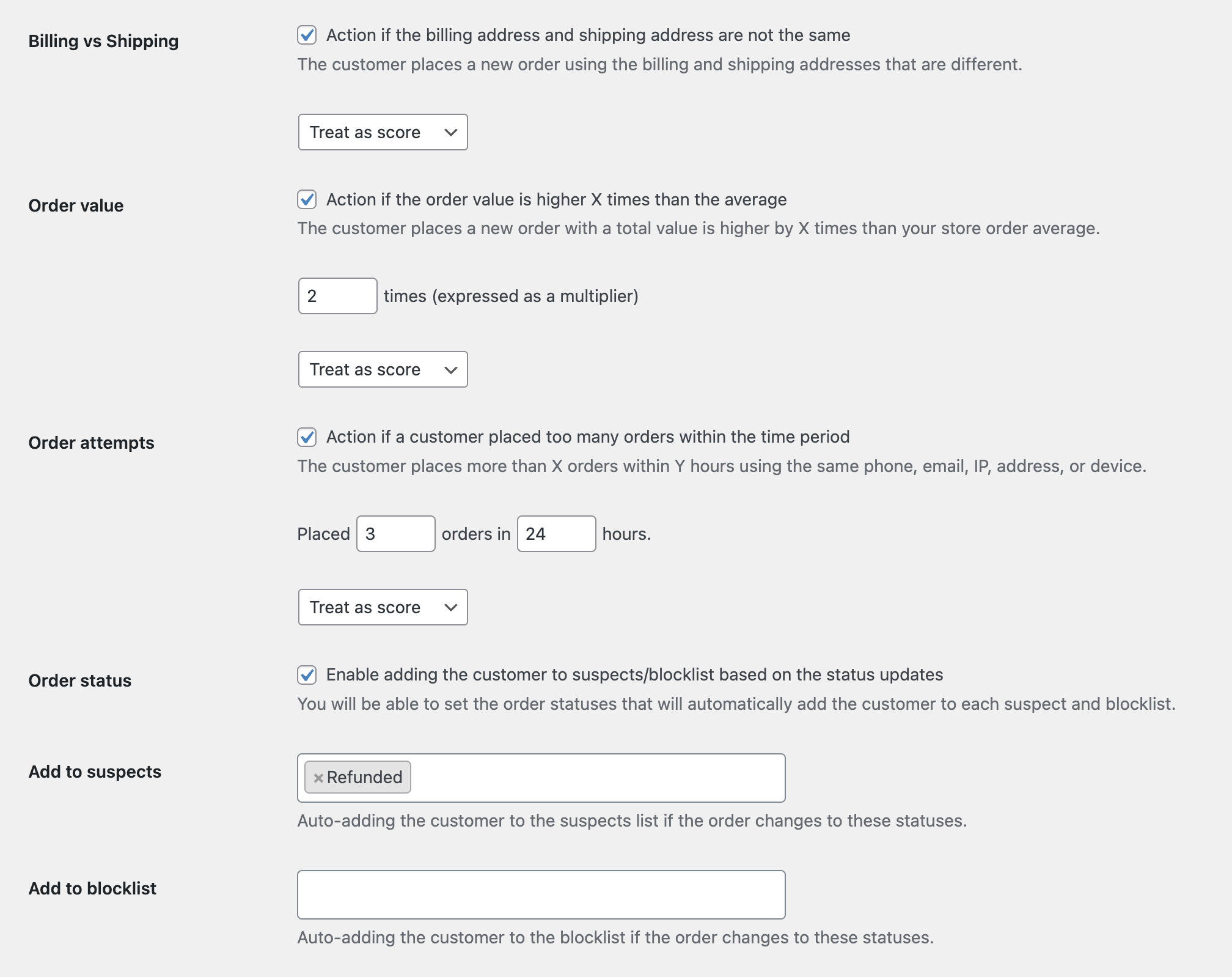
Billing vs Shipping Address
This rule checks whether billing and shipping details are different enough to be suspicious. Some stores see this often for gifts, business purchases, or dropshipping, so it should not always block by itself.
Recommended action: Treat as score. If your store sells high-risk products, use Add to suspects for stronger review.
High Order Value
This rule flags orders above your chosen value. High value alone does not mean fraud, but it makes manual review more important.
Recommended action: Email alert or Treat as score.
Too Many Order Attempts
This rule detects repeated attempts from the same customer signals within a short period. It can help catch card testing, checkout abuse, or repeated failed attempts.
Recommended action: Treat as score first. If abuse is frequent, Add to suspects or Add to blocklist after confirming that normal customers are not affected.
Status-Based Suspect and Block Rules
Premium can also add customer details to Suspects or Blocklist based on order status. For example, you may mark details when an order reaches a fraud-related status.
Use this carefully. Make sure your staff uses order statuses consistently before you automate blacklist actions from them.
For direct address blocklist setup, separate from automation rules, see Block Billing and Shipping Addresses.
Continue from Blacklist Manager Premium documentation to the complete product workflow.
Evaluate product scope on the money page, use the pillar Guide for decisions and trade-offs, and return here for exact configuration.
Did this guide answer your question?
Still stuck?
Open a support request and include this article title, your plugin version, and what you already tried.
Open Support